Apply outcomes
What each result in the review dialog means, what was saved, and what to do next.
After Apply, the review dialog shows what the plugin reported. ComfiConf never says a change is active unless the plugin confirmed it.
| Result | Saved on the server | Active now | What to do |
|---|---|---|---|
| Changes applied and active | Yes | Yes | Nothing. Choose Done. |
| Saved. A restart is needed | Yes | Partly | Restart the server when it suits you. |
| The plugin rejected these changes | No | No | Fix the marked settings and apply again. |
| The configuration changed while you were editing | No | No | Reload the latest values and redo your edits. |
| Applying failed | Usually no | No | Read the message; check the server if the values were saved. |
| Outcome unknown | Unknown | Unknown | Check again. |
| This change may already have been applied | Possibly | Possibly | Reload the latest values and check them. |
Before you apply: Changed elsewhere
ComfiConf often notices a change on the server before you apply. When the settings change on the server while you edit, the editor shows a Changed elsewhere notice: This configuration was changed on the server while you were editing. Choose Reload latest values to load the new values (your edits are discarded), or Keep my edits to dismiss the notice; applying stays refused until you reload. In the review dialog, the same situation reads The configuration changed on the server. See When the settings changed on the server.
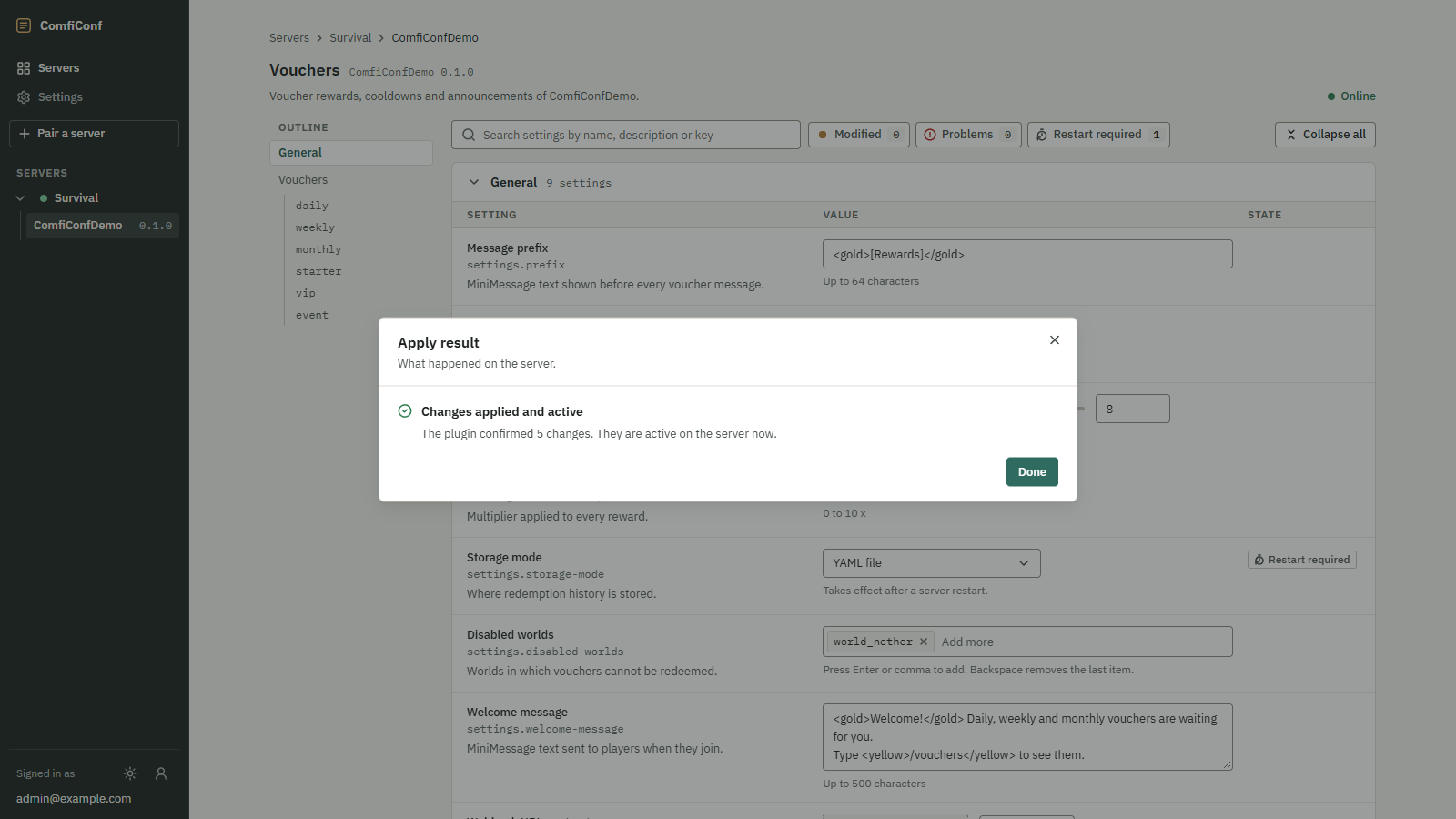
Changes applied and active
 Opens the full-size image.
The plugin saved the values and confirmed they are active on the server now, for example The plugin confirmed 3 changes. They are active on the server now. The plugin may add a message of its own. Choose Done.
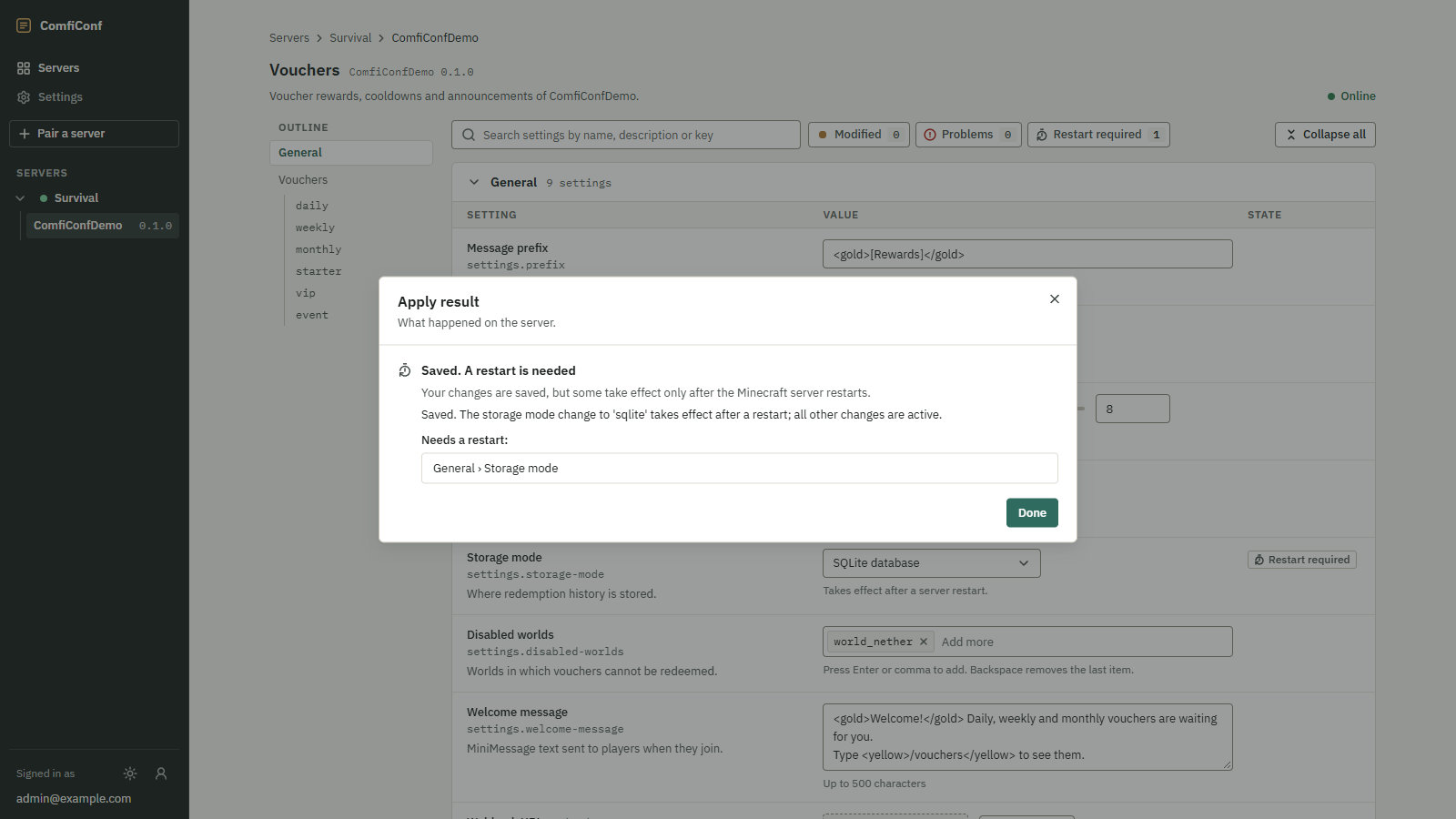
Saved. A restart is needed
 Opens the full-size image.
Your changes are saved, but some take effect only after the Minecraft server restarts. Under Needs a restart:, the dialog lists the settings that wait for the restart. All other changes of this apply are active already, unless the plugin's message says otherwise. Restart the server when it suits you.
A plugin also reports this result when it saved the values but could not activate them right away. Its message then explains what happened.
The plugin rejected these changes
Nothing was changed on the server. Your edits are kept, and the problems are marked on the fields. The dialog lists the problems, and choosing one takes you to its setting. Choose Back to editor, fix the values and review again.
The configuration changed while you were editing
Someone or something saved new values on the server after you opened this editor, so nothing was applied. ComfiConf refuses the stale change instead of overwriting what was saved in the meantime.
- Reload latest values loads the current values and discards your edits. Make your changes again on top of them.
- Keep editing returns to your edits, for example to note them down before you reload.
Applying failed
The plugin could not complete the change. The dialog shows the plugin's message, then one of two notes:
- Nothing was saved. Your edits are kept. Choose Back to editor and try again later, or check the server console for the cause.
- The values were saved: the plugin stored the new values but could not confirm they are active. The editor reloads the stored values; check the server to make sure they take effect, for example with the plugin's own status command or a restart.
Outcome unknown
The server stopped responding before it confirmed the result, so the change may or may not have been applied. This happens when the connection drops or the server is busy at the wrong moment. If the server was still working on it, the dialog says The server is still working on this change.
Choose Check again. Checking is safe: the same request is never applied twice. When the answer arrives, the dialog shows the real result. If it was already recorded, the result says This result was already recorded for this request; nothing was applied twice.
This change may already have been applied
The server no longer remembers this request. The settings changed since you opened the editor, possibly because of this very change. Choose Reload latest values to see the current values, then check whether your change is among them. Reloading discards your edits.
In the server's activity
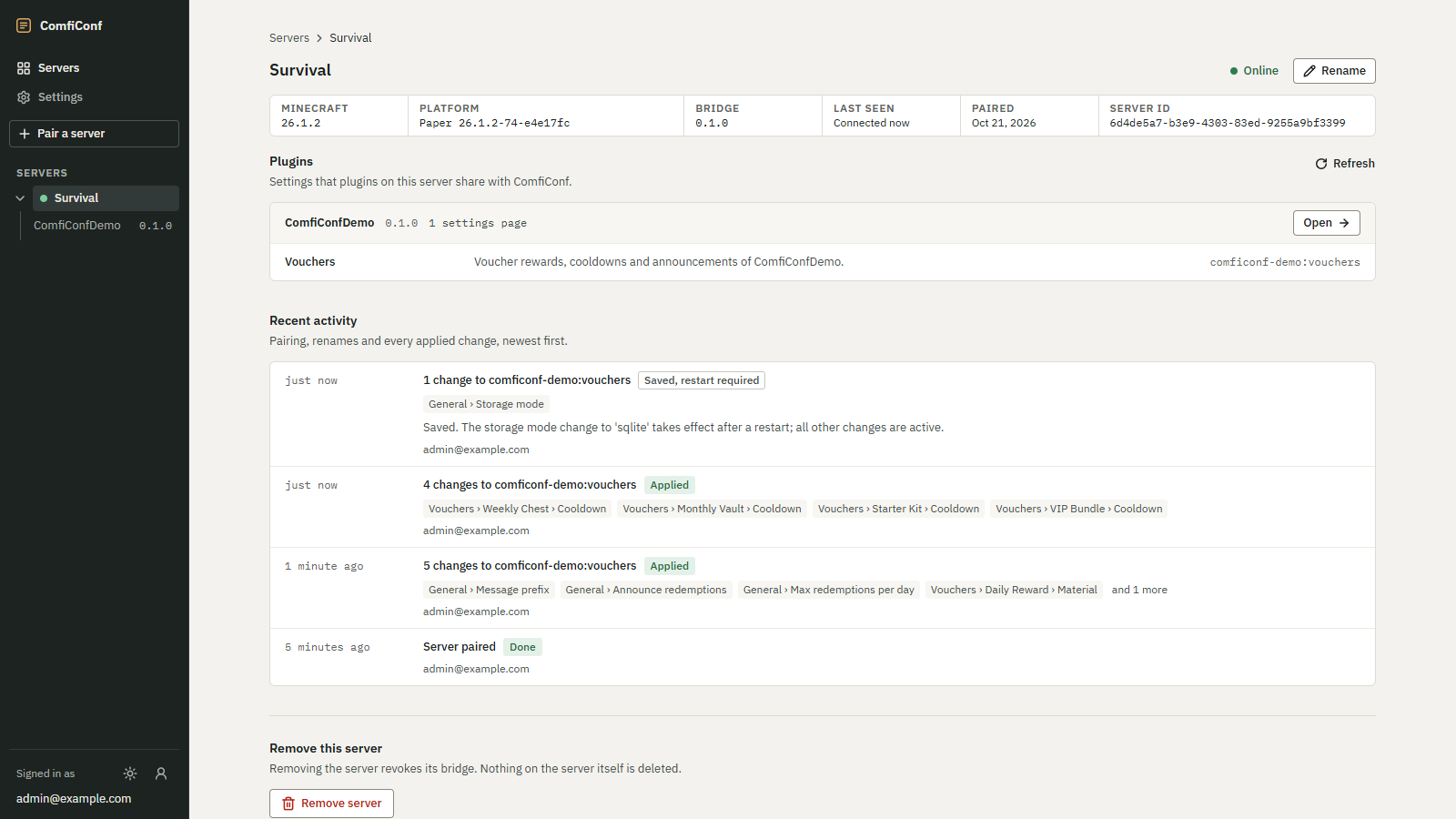
Every apply appears under Recent activity on the server page, with a badge for its result:
| Badge | Meaning |
|---|---|
| Applied | Saved and active |
| Saved, restart required | Saved, waiting for a restart |
| Rejected | Refused by the plugin, nothing saved |
| Conflict | The settings changed in the meantime, nothing saved |
| Failed | The change did not complete |
| In progress | Still running |
| Outcome unknown | No confirmation arrived |
| Done | Events other than changes, such as Server paired |
 Opens the full-size image.