The server list
Your servers page, its columns, live online status, and pairing another server.
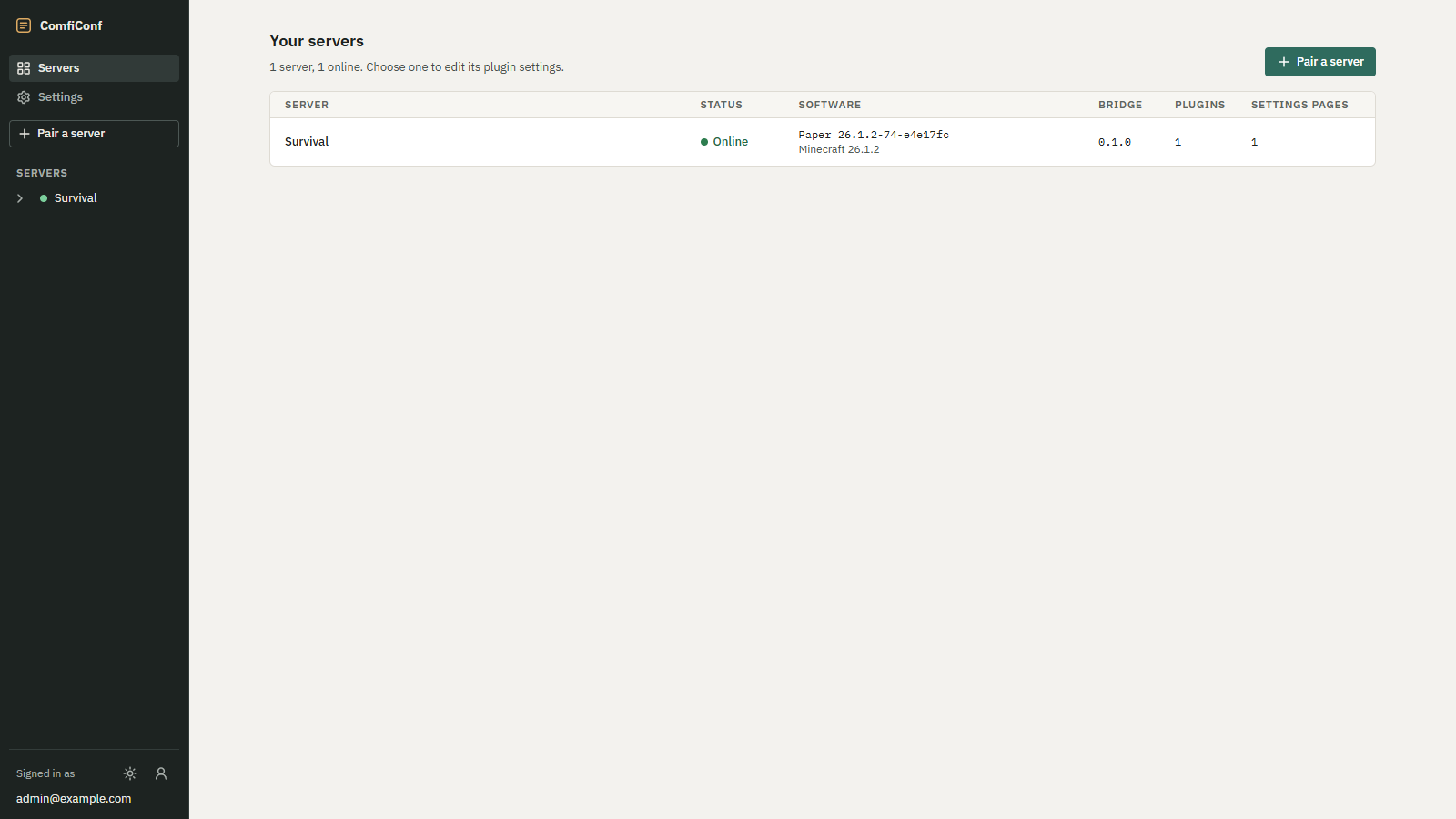
Your servers is the first page after you sign in. It lists every server paired with your account, with live status, and the summary reads for example 1 server, 1 online. Choose one to edit its plugin settings.
 Opens the full-size image.
Columns
| Column | Shows |
|---|---|
| Server | The server's name. While it is offline, when it was last seen. |
| Status | Online with a filled dot, or Offline with a hollow ring. |
| Software | The server software and build, and the Minecraft version below it. |
| Bridge | The version of the ComfiConf bridge on the server. |
| Plugins | How many plugins on the server share settings with ComfiConf. |
| Settings pages | How many settings pages those plugins share in total. |
Values the server has not reported yet show Unknown. The status updates on its own while the page is open; you do not need to reload.
On narrow screens, each server is a block with its name and status above the other values.
Online and offline
A server is Online while its bridge is connected to ComfiConf. When the server stops or loses its connection, it turns Offline, and the list shows when it was last seen, such as Last seen 5 minutes ago. A server that never connected after pairing shows Never connected.
You can only open a plugin's settings while its server is online. The bridge reconnects on its own after an outage, and the server turns Online again without any action from you. See The server is offline if it does not.
Pairing another server
Choose Pair a server at the top of the page, or in the navigation. Each server needs its own bridge and its own pairing code; see Pair your server.
With no servers yet, the page shows Connect your first server with the steps to install the bridge and get a pairing code, and Enter a pairing code.
Navigation
On wide screens, the navigation rail on the left lists Servers, Settings and Pair a server, and below them every server with its plugins and their settings pages. On narrow screens these become a bar at the top of the page.