The server page
A server's facts, its plugins and their settings pages, and its recent activity.
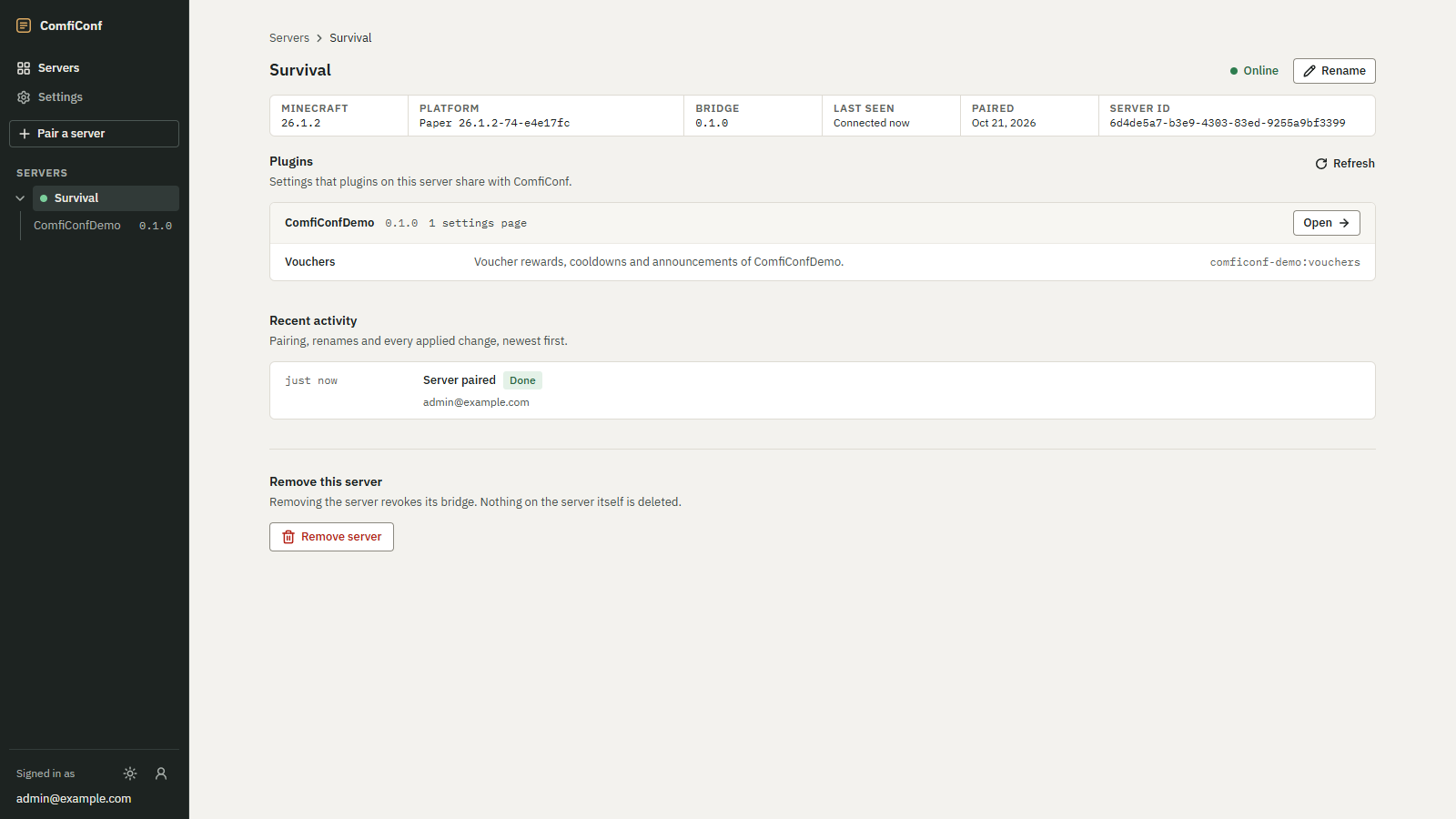
Choose a server on Your servers to open its page. It shows the server's facts, the plugins you can edit, and everything that happened to the server through ComfiConf.
 Opens the full-size image.
Facts
The strip below the server's name shows:
| Fact | Meaning |
|---|---|
| Minecraft | The Minecraft version of the server. |
| Platform | The server software and its build, for example Paper 26.1.2-74-e4e17fc. |
| Bridge | The version of the ComfiConf bridge. |
| Last seen | Connected now while online; otherwise when the server was last connected. |
| Paired | When the server was paired with your account. |
| Server ID | ComfiConf's id of the server, useful when you ask for help. |
The status at the top right reads Online or Offline. Next to it, Rename changes the server's name; see Rename and remove.
Plugins
Plugins lists the Settings that plugins on this server share with ComfiConf. Each plugin shows its version and how many settings pages it shares, for example 1 settings page. Choose Open to edit the plugin's settings, or the name of one of its settings pages. Refresh reloads the list, for example after you installed a plugin.
The list is shown only while the server is connected. Offline, the page says Plugins are listed while the server is connected. With no supported plugin installed, it says No plugins with ComfiConf support yet; see Supported plugins.
Recent activity
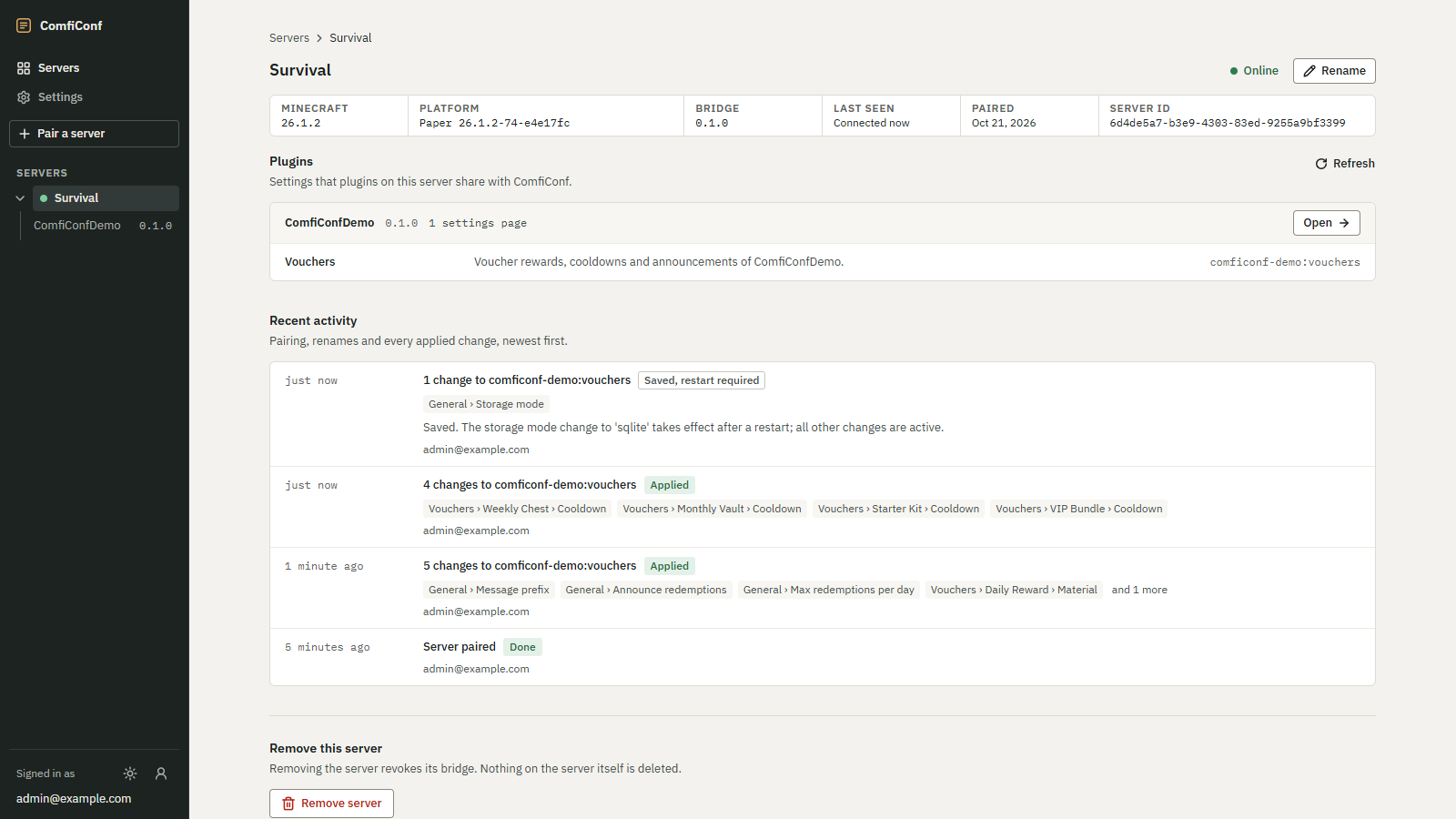
Recent activity lists Pairing, renames and every applied change, newest first. Each entry shows when it happened, what happened, a result badge, the settings that changed, any message from the plugin, and the account that did it.
| Event | When |
|---|---|
| Server paired | The server was paired with your account. |
| Renamed to followed by the new name | You renamed the server. |
| 3 changes to followed by the settings page | An apply, with its count of changes. Up to four changed settings are shown, then and 2 more. |
| Access revoked | The server was removed from your account. |
The result badges are explained in Apply outcomes. Secret values never appear in the activity. Choose Show older activity to load earlier entries.
 Opens the full-size image.
When the server is offline
A notice at the top of the page names the server, such as Survival is offline, says when it was last seen, and asks you to check that the server is running and that the bridge can reach ComfiConf. The page updates by itself as soon as the server reconnects.